Interaction
An Interaction is a scene where characters, objects, and area triggers can execute a stitch to continue the story.
When the player is looking at an interaction, an eye will be rendered, inviting the player to interact with it.
If you want to create an interactable environment, you need to create an interaction scene.
Create an Interaction
To access and edit an interaction, go to the "Interaction" section of your scene, then create a new interaction.
When you enter your interaction scene, press G to open the menu.
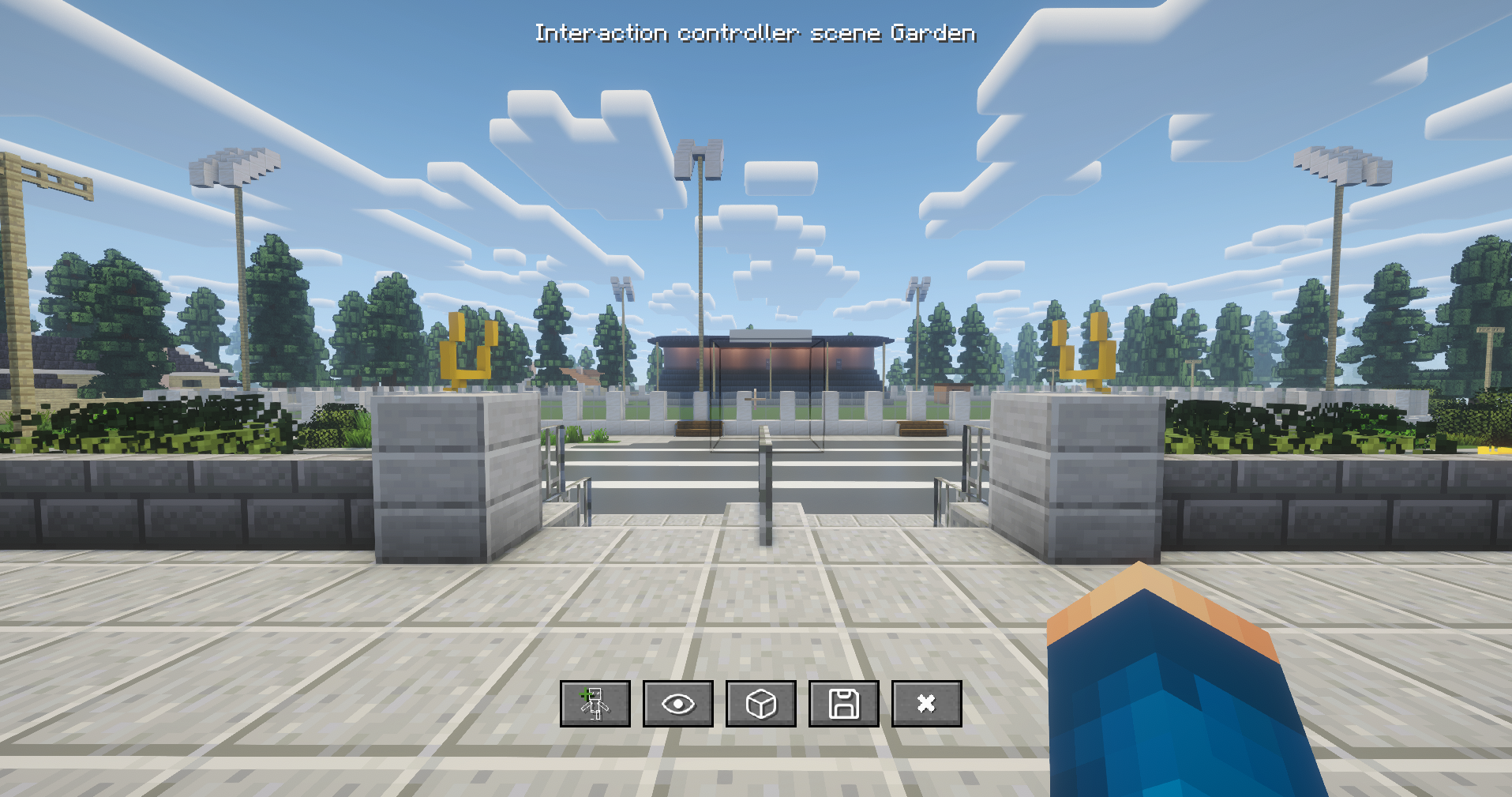
- Add an interactive character that will spawn when the interaction is triggered.
- Add an interactive invisible entity (armor stand).
- Area Triggers.
- Save and close.
- Close without saving.
Adding an Interaction
When adding a character or any interaction, you need to provide a stitch. If empty, when the player looks at it, no eye will be rendered.
INFO
A stitch in Ink is a sub-knot.
e.g.
=== chapter_1_knot ===

= a_stitch
Area Triggers
An area trigger is an area that will execute a stitch when the player enters it.
To create an area trigger, click on the box; a list will appear with all your existing area triggers.
Create a new one, and you will enter area trigger edit mode.
You can specify an area trigger to be unique, meaning that it will trigger only once when entering it.
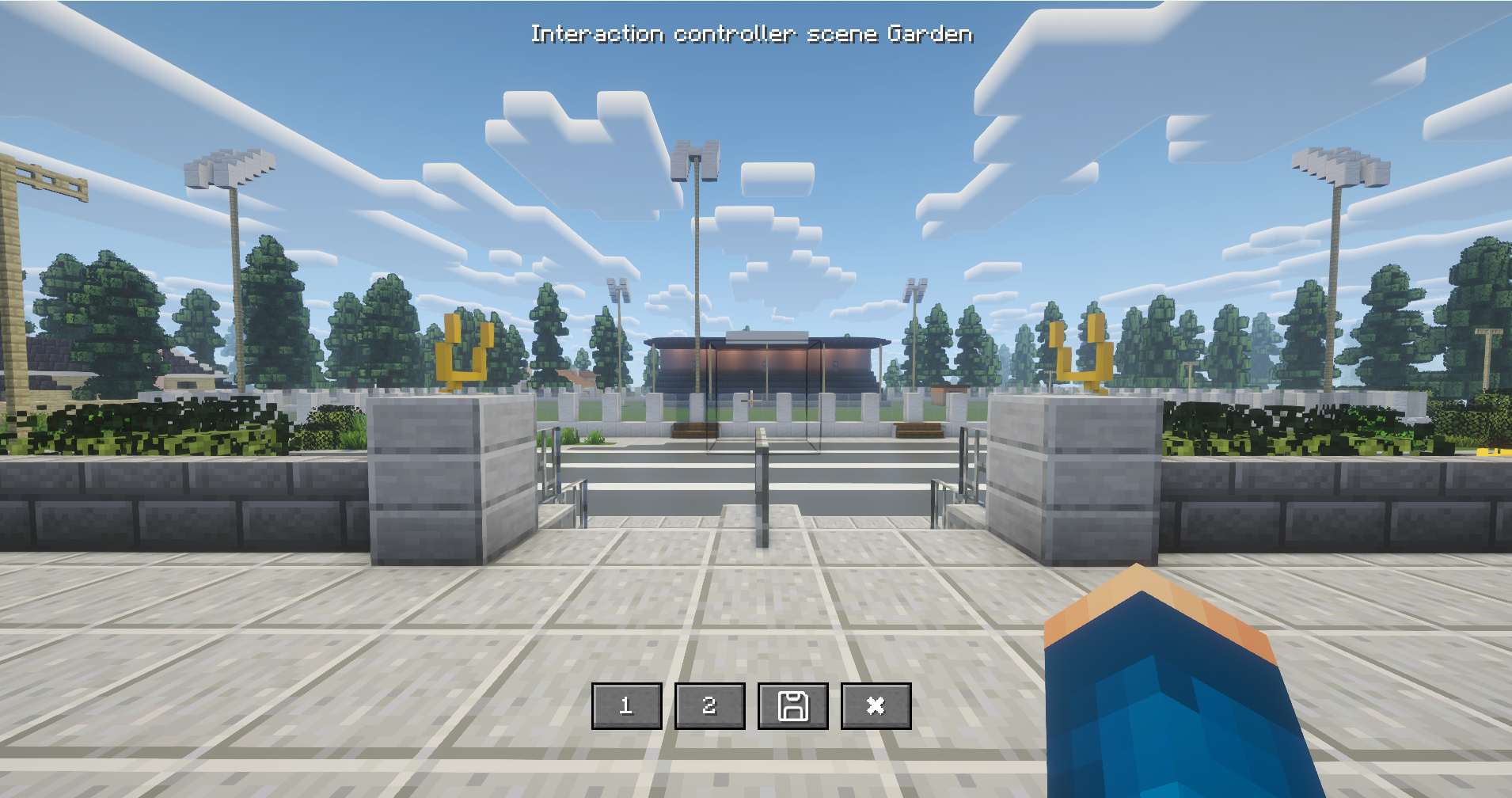
1 defines the first location of the area trigger, and 2 defines the second location.
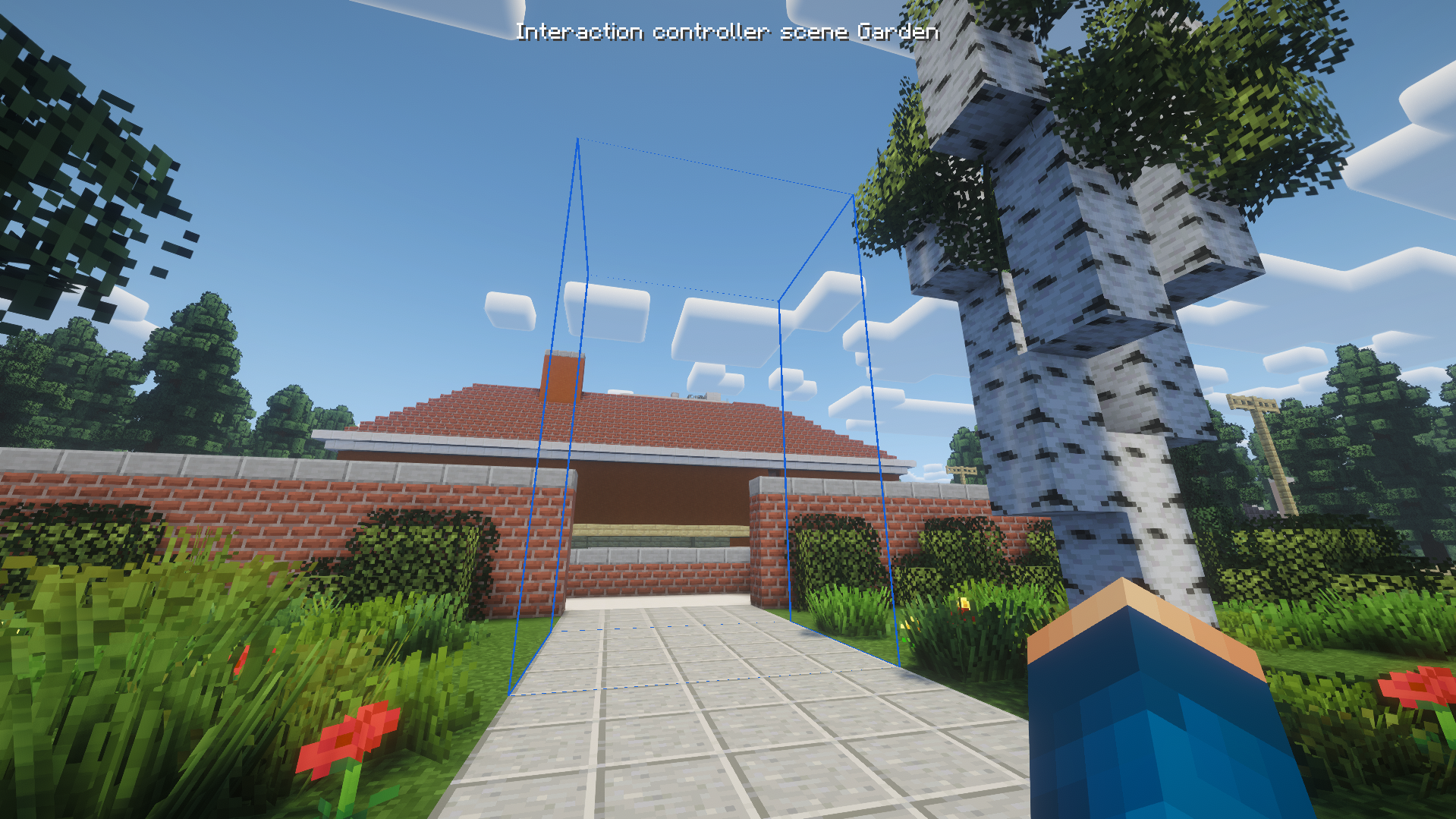
It will render a blue box.
Summon it
A tag was created for it -> interaction tag